
The Context
Customer / Stakeholder: Internal operations teams and Project Managers at my employer ISB Global LTD, a medium-to-large organisation. They needed a way to track physical and digital assets (hardware, licenses, furniture, consumables, etc.) across multiple locations.
The project focused on designing a secure, multi-tenant login component for an IT Assets Register application. The design challenge was to create a solution that catered to diverse organisational requirements while ensuring robust security, scalability, and seamless user experience.
Problem: Asset inventories were siloed. Existing methods were chaotic as they were displayed in spreadsheets, fragmented databases, or paper logs. Data duplication, lost items, inconsistent records, difficult audit trails and no unified view for managers became themes for this way of inventory tracking. Users spent hours manually reconciling data and asset requests were often lost.

Insight
Through a mixture of interviews and observation with operational staff & managers, I discovered that:
The core frustration wasn’t just losing assets but also lack of trust in data. Managers often doubted that the spreadsheets reflected reality, resulting in regular double checking.
Requests and approvals were muddled up. Once a request was made, there wasn’t any transparent, trackable path. Users didn’t know the status & managers had no audit history.
Users cared about simplicity: easy lookup, quick updates, history logs, and clear statuses. They didn’t need over-engineered tools.

“A-ha” Moment
Suddenly it dawned on me, that even a great system would fail if it didn’t feel immediately reliable, clear and simple for frontline users. This led to thinking instead of forcing these rigid workflows, lets build a living asset registry platform where each asset has a profile, history and status that auto-updates.
This meant taking the spreadsheet mentality and transforming it into a structured CRUD lifecycle UI, with emphasis on clarity and minimal cognitive overload.

Key Challenges
Transfering platforms: Data migration from legacy spreadsheets and multiple sources with inconsistent formats.
Data complexity: There were a wide range of asset types (hardware, consumables, licenses), and each required different metadata (serial numbers, location, assignments, expiry, license counts). Designing a flexible yet simple data model was tricky, especially when aiming to achieve scalability for future assets to be included in the future.
User adoption: Team members were somewhat comfortable with spreadsheets as it was familiar, even though it was highly error prone. To reduce the risk of resistance to a new system the UI/UX had to feel approachable.
Audit & reporting needs: Managers required advanced functionality like exportable reports, history logs and audit trails with usability for non-technical staff.
Experience Map
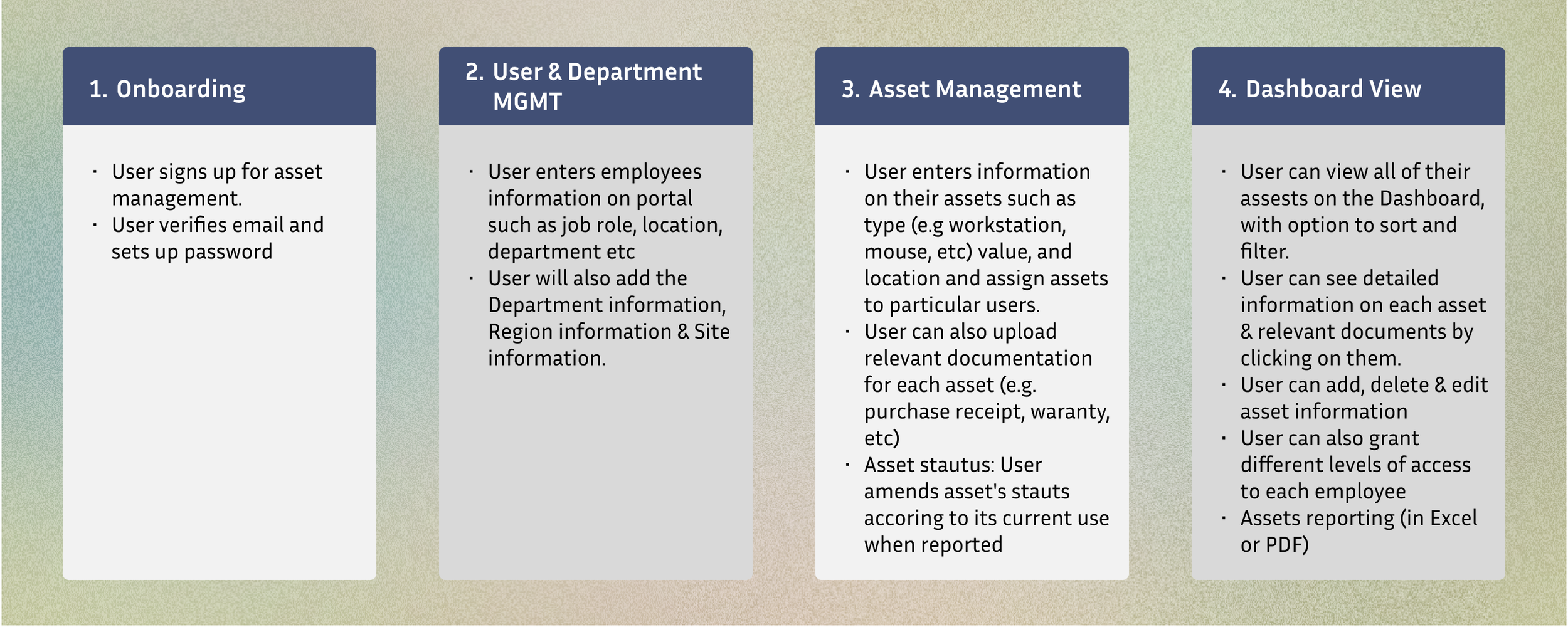

Information Architecture
Low Fidelity Wireframes
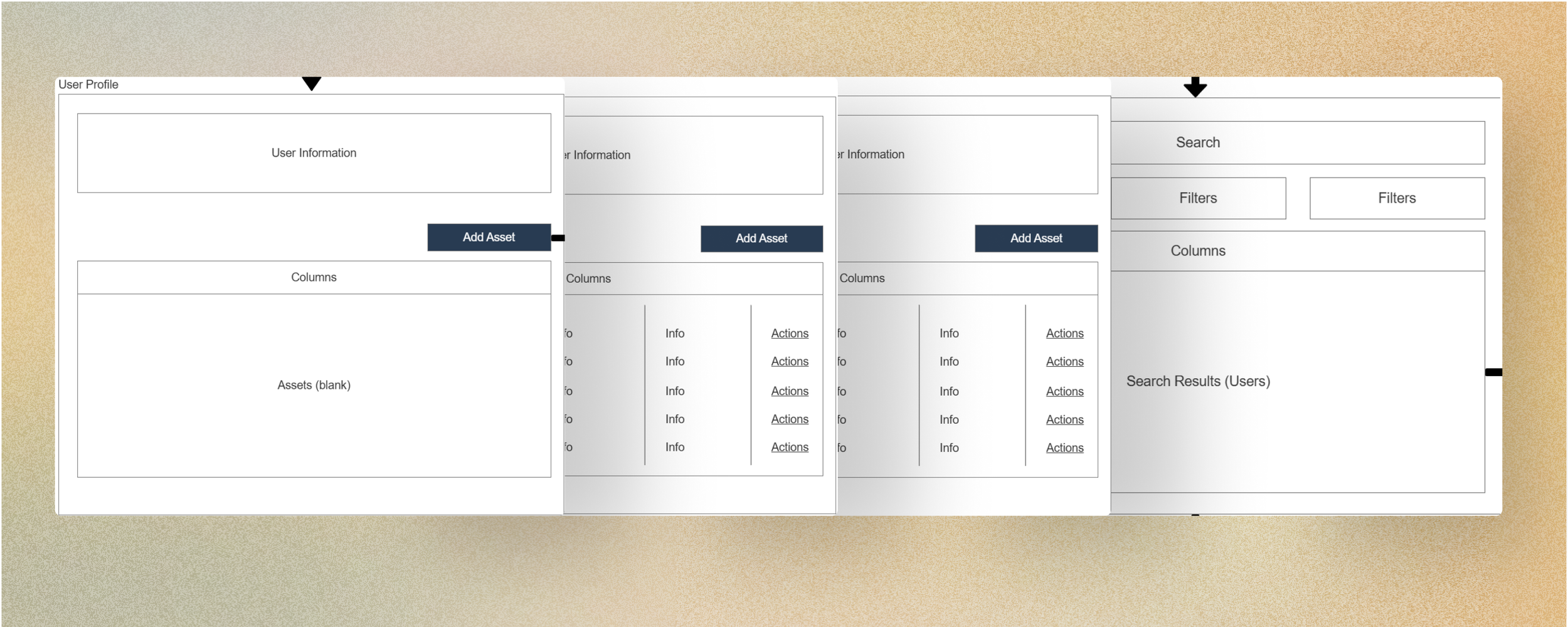
Process:
I created low-fidelity prototypes to test basic functionality and to present the ideas to shareholders .
Feedback:
Shareholders enjoyed the clear design but requested adding visual categorisation on the IT Assets page by use of space or icons.

High Fidelity Wireframes
Refinements:
By utilising iconography & space I enhanced the visual categorisation of “IT Assets” & “Non-IT Assets” drawing attention to solely key elements.
All pages were designed from an optimised perspective to allow for a smoother User experience.
Impact: The final prototypes provided an clear, organised experience.
Design Iterations
Major Changes:
Enhanced User flow to avoid unnecessary complexity.
Implementing the 80-20 rule, also known as the Pareto principle for the dashboard’s design.
Redesigning the field options within the configuration settings to better match the wider company website.
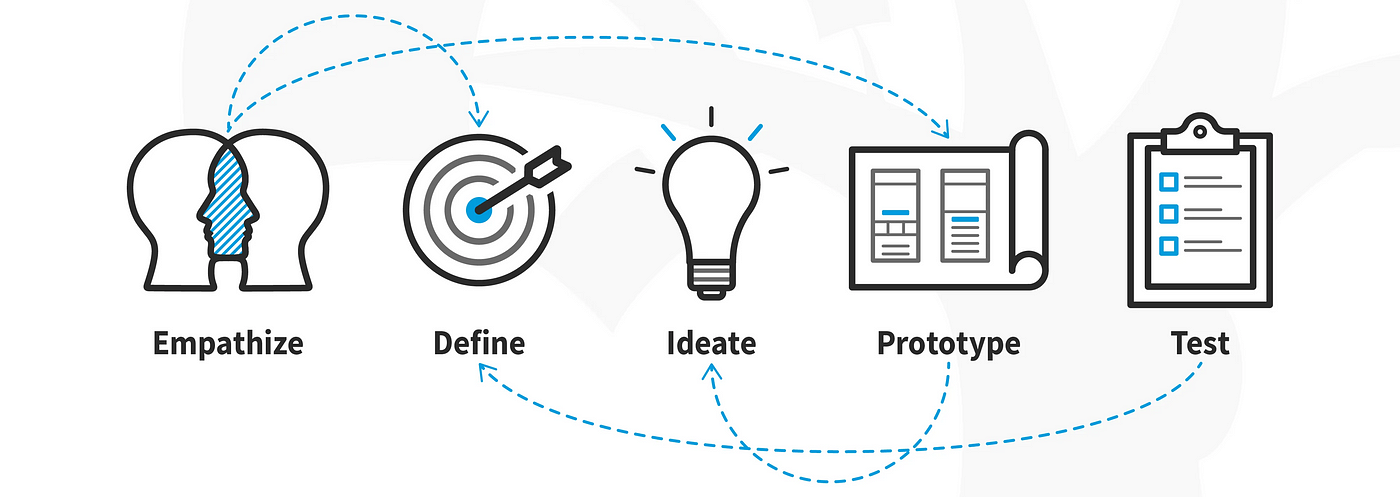
Final Designs

The final product was an optimised, IT Assets register application system with scalable designs. Key highlights included:
Secure authentication with branding, logos, colour schemes & actionable error messages.
Seamless integration with existing user management systems for synchronisation of user roles and permissions.
Scalable architecture to support multiple organisations.
Product Success

Integrated seamlessly with existing systems, reducing setup and maintenance overhead.
Delivered a scalable solution capable of supporting multiple tenants with varying user roles and permissions.
Well received by the stakeholders and developers for usability & compliance with industry standards.
What I Learned

True accountability as this was one of the first times I had been the only designer on a project from its inception.
The reality of collaborating with developers & project managers to ensure design practicality & seamless integration with back-end systems.
How to design for multi-tenant systems, balancing scalability and customization.