
Context
Context: During my time at ISB Global, I designed a mobile app used by field inspectors to record site inspections, upload photos, and flag issues during waste collection or facility audits.
Goal: The project’s focus was on creating a secure, mobile Inspection App designed to streamline the inspection process of flagged tickets within waste & recycling facilities.
Tools: Axure RP, Photoshop, user surveys, usability testing.

Problem
Waste & recycling facilities faced challenges in managing and tracking the incoming & outgoing of waste & recycling effectively, which lead to errors, inefficiencies and delays in processing work orders. The lack of a streamlined digital solution resulted in inconsistencies in material adjustments, difficulties in tracking deductions and a fragmented workflow.

My Contribution
Partnered with inspectors and supervisors to understand the need for real-time ticket access, accurate records, and smoother cross-facility communication.
Designed a mobile-first inspection workflow, enabling ticket filtering, material adjustments, deductions, and image capture — all within a streamlined, role-based interface.
Created low- and high-fidelity wireframes to map core flows and refine the user journey based on stakeholder input and operational constraints.
Ran usability testing that revealed issues with step navigation and ticket visibility, leading to refinements such as clearer hierarchy, improved filters, and progressive disclosure for detailed data.
Enhanced field usability by improving touch targets, adding guided inputs for material adjustments, and introducing visual indicators to highlight incomplete tasks and required actions.
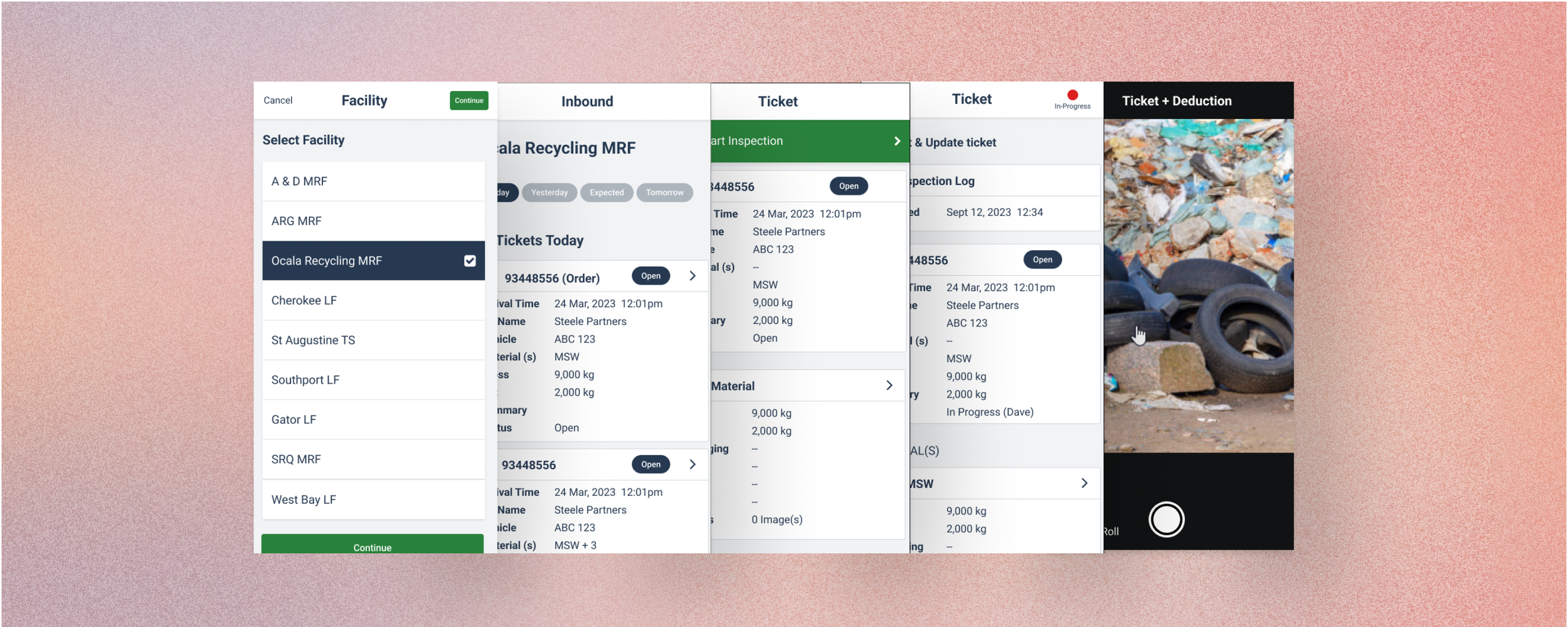
Resulting design:
A clean, intuitive mobile app that standardises inspections, improves efficiency, reduces errors, and supports fast, accurate ticket management in high-pressure environments.

Outcome
2× faster inspection completion time.
50% fewer incomplete inspections logged by staff.
70% improvement in successful photo uploads in low-signal areas.
Adoption increased because inspectors found the app “far easier to use on-site.”
Resulting design:
A clean, intuitive mobile app that standardises inspections, improves efficiency, reduces errors, and supports fast, accurate ticket management in high-pressure environments.


Problem
Waste & recycling facilities faced challenges in managing and tracking the incoming & outgoing of waste & recycling effectively, which lead to errors, inefficiencies and delays in processing work orders. The lack of a streamlined digital solution resulted in inconsistencies in material adjustments, difficulties in tracking deductions and a fragmented workflow.
Waste & recycling facilities faced challenges in managing and tracking the incoming & outgoing of waste & recycling effectively, which lead to errors, inefficiencies and delays in processing work orders. The lack of a streamlined digital solution resulted in inconsistencies in material adjustments, difficulties in tracking deductions and a fragmented workflow. Those inspecting and overseeing said the work needed a solution that could provide real time access to ticket details, facilitate accurate record keeping, and ensure smooth communication across different locations.
Solution Statement
The Inspection App design addresses these challenges by providing an intuitive, mobile-first solution that standardises the inspection workflow. The app offers a comprehensive feature set, including real-time facility selection, ticket filtering, and detailed inspection logs. Users can easily add deductions, split materials, and capture images for documentation purposes. With role-based access control and seamless navigation, the app enhances operational efficiency, reduces errors, and improves compliance across facilities.
Experience Map
Site Map
Low Fidelity Wireframes
Process:
Initial low-fidelity wireframes were created to map out core inspection workflows, focusing on ticket management, material adjustments, and deductions.
High-fidelity wireframes were developed based on stakeholder input, ensuring alignment with operational needs and optimising the user journey for clarity and efficiency.
Feedback:
User testing highlighted the need for clearer navigation between inspection steps and improved visibility of ticket statuses.
High Fidelity Wireframes
Refinements:
Navigation was streamlined by introducing clearer button hierarchy and intuitive filter options to quickly access different ticket states.
The material adjustment process was enhanced with improved visual indicators and guided inputs to minimise user confusion.
Impact: Improved inspection efficiency, reducing time spent on data entry and minimising errors.
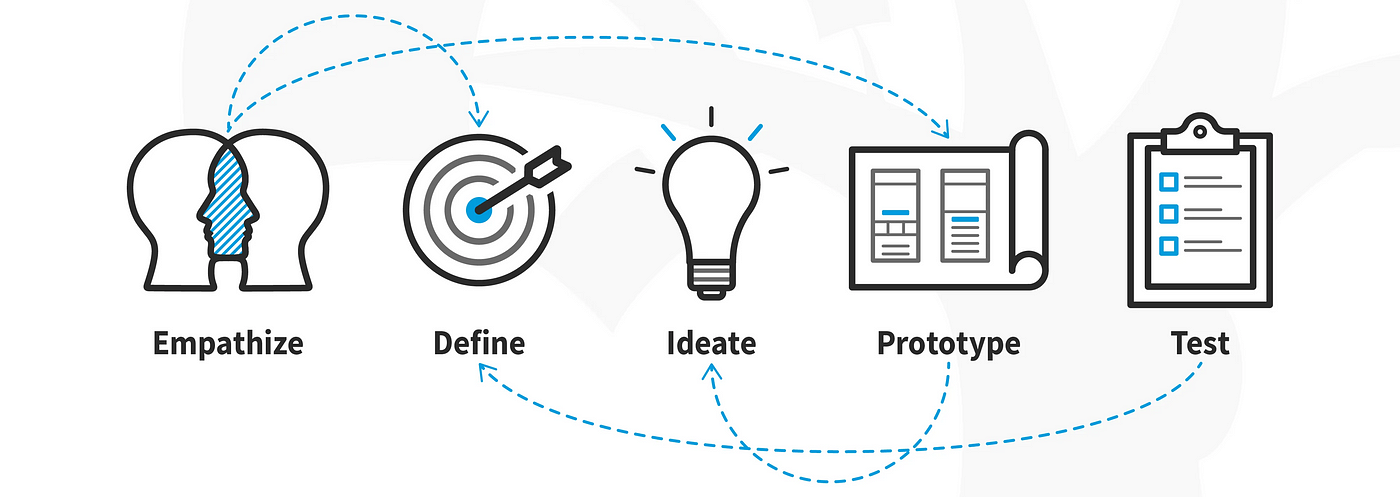
Design Iterations
Major Changes:
Introduced progressive disclosure in the ticket details page to prevent information overload while maintaining access to critical data.
Improved touch-friendly controls based on feedback from field workers operating in challenging environments.
Added visual indicators to guide users through inspection workflows and highlight incomplete tasks.
Final Designs

The final product was a clean, intuitive design that supports quick navigation & efficient ticket management in high-pressure environments. Key highlights included:
Customisable filter options allowing users to tailor their view based on ticket status and inspection priorities.
Clear, actionable feedback messages to guide users and reduce potential errors.
Product Success

Increased efficiency in processing inspection tickets, reducing manual effort and turnaround time.
Positive feedback from stakeholders regarding the app’s ease of use and adaptability to site-specific needs.
Enhanced reporting capabilities leading to better operational insights and decision-making.
What I Learned

Small design tweaks, such as button placement and colour contrast, can have a significant impact on usability.
Flexibility in design is key when developing solutions for diverse operational environments.