

Role:
Brand, UX, UI, design system, content
Type:
Self-directed product + brand
Status:
Hi-fi built · testing next
Figma - full design system, 5 stages, desktop and mobile, prototyping & campaign and product assets
01.
THE CUSTOMER
Design-conscious buyers going electric
Buyers in the consideration phase. They are comparing models, want to understand what separates one variant from another without dealer pressure, and want a low-commitment way to actually get behind the wheel.
They find legacy automotive sites either overwhelming (configurators that demand decisions too early) or thin on the design and brand cues that matter to them. Vaydr is positioned as the design-first challenger for that buyer: clarity over clutter, confidence over hard sell.
02.
THE INSIGHT
The decision and the action were tangled
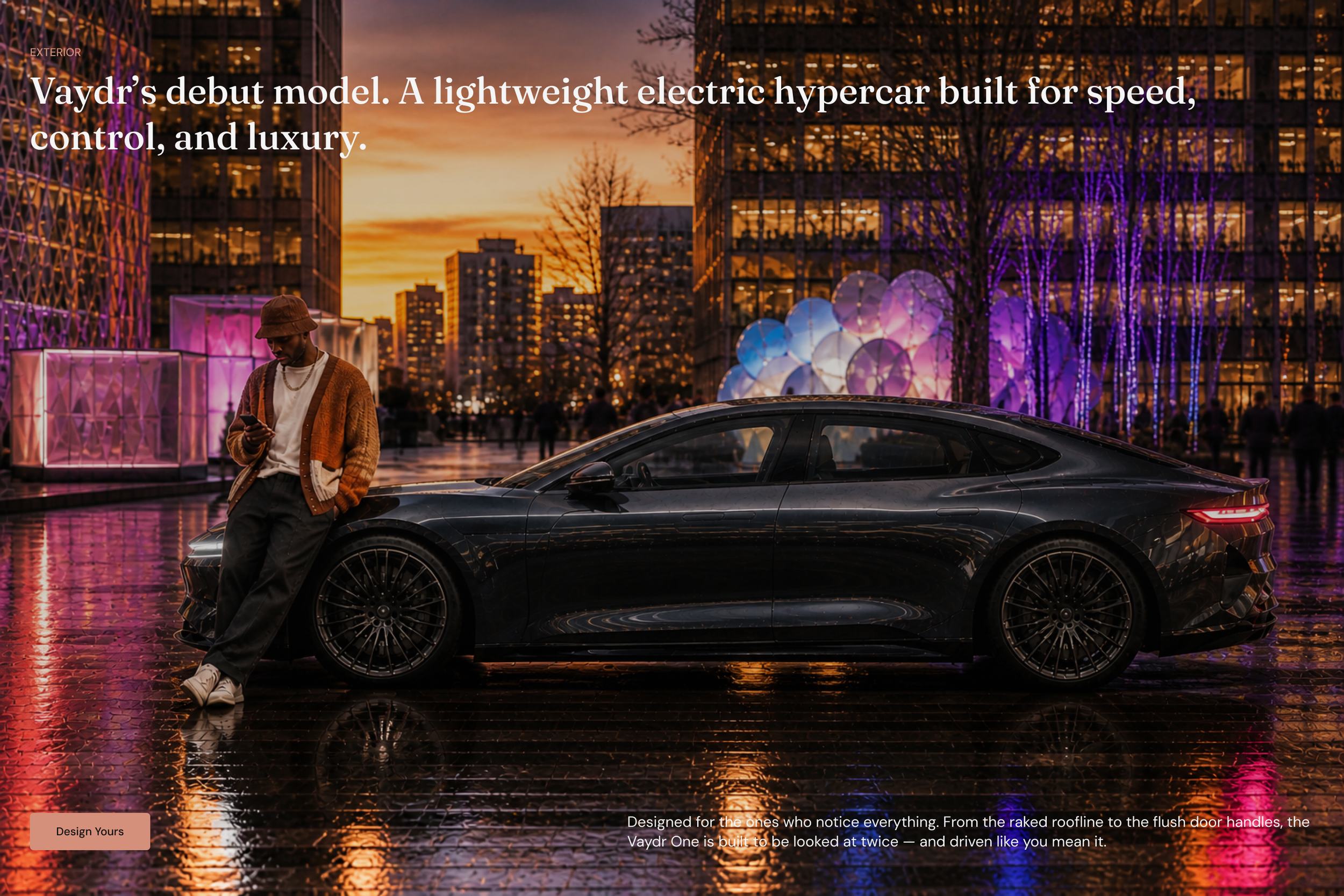
Low-fidelity usability testing surfaced the core problem: people could not confidently tell the three variants apart, and that uncertainty stalled them before they would book a demo drive.
The decision ("which Vaydr is for me?") and the action ("book a drive") were knotted together, so users hesitated on both.
03.
THE A-HA MOMENT
Decouple the booking from the configurator
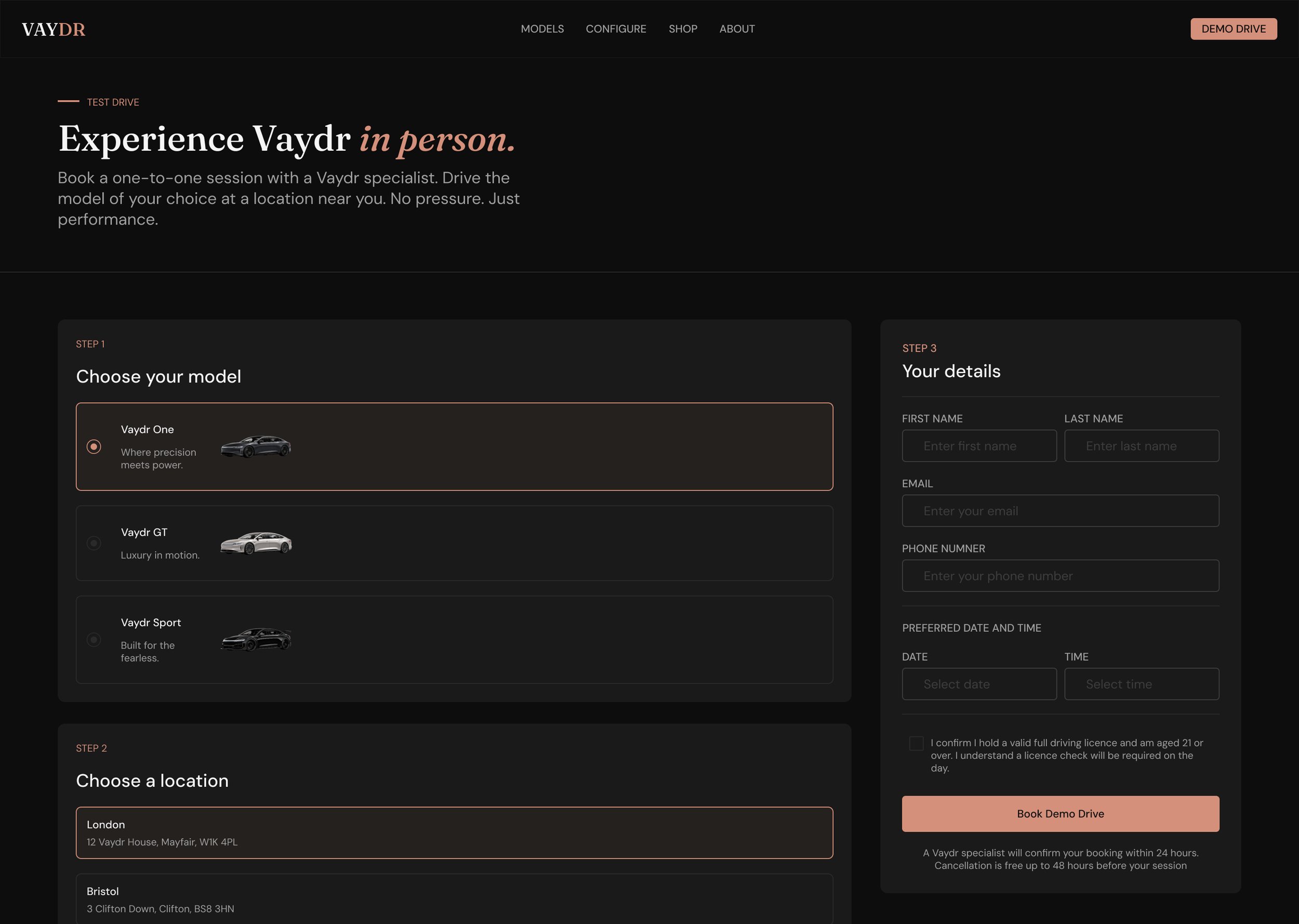
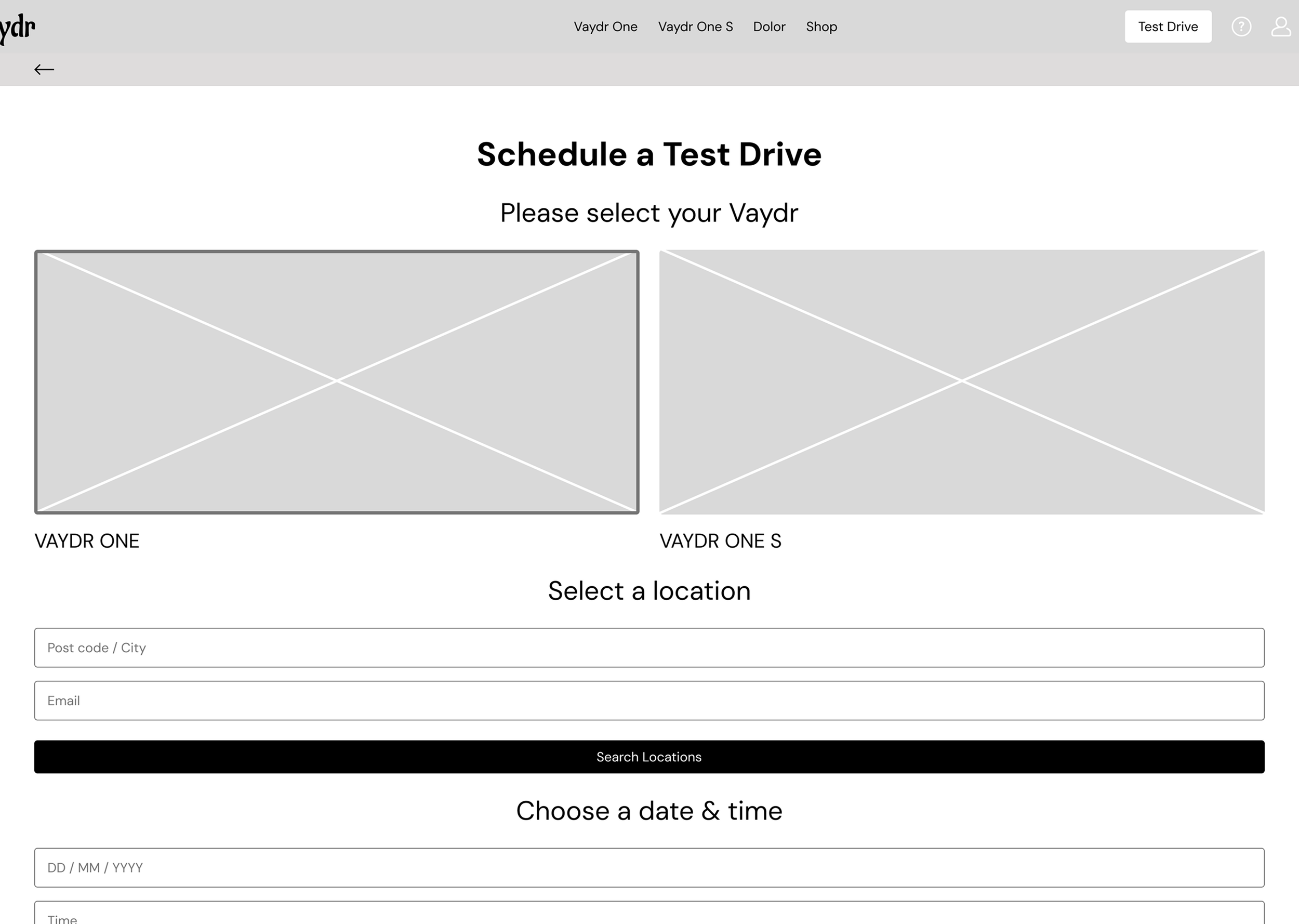
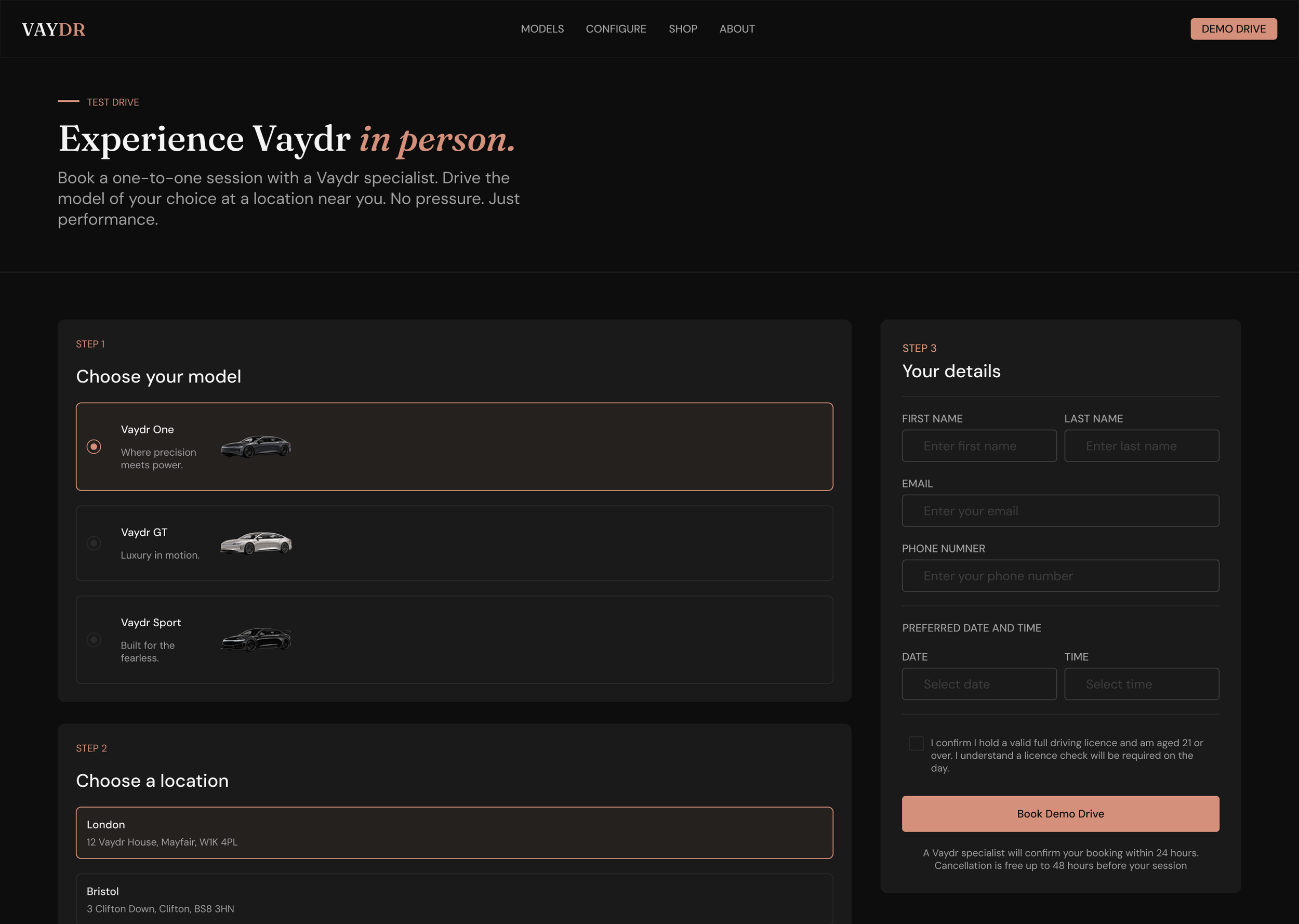
The fix was to separate the two. Let people book a demo drive early as a low-commitment entry point, and turn variant selection into a guided, side-by-side comparison rather than a configurator gate.
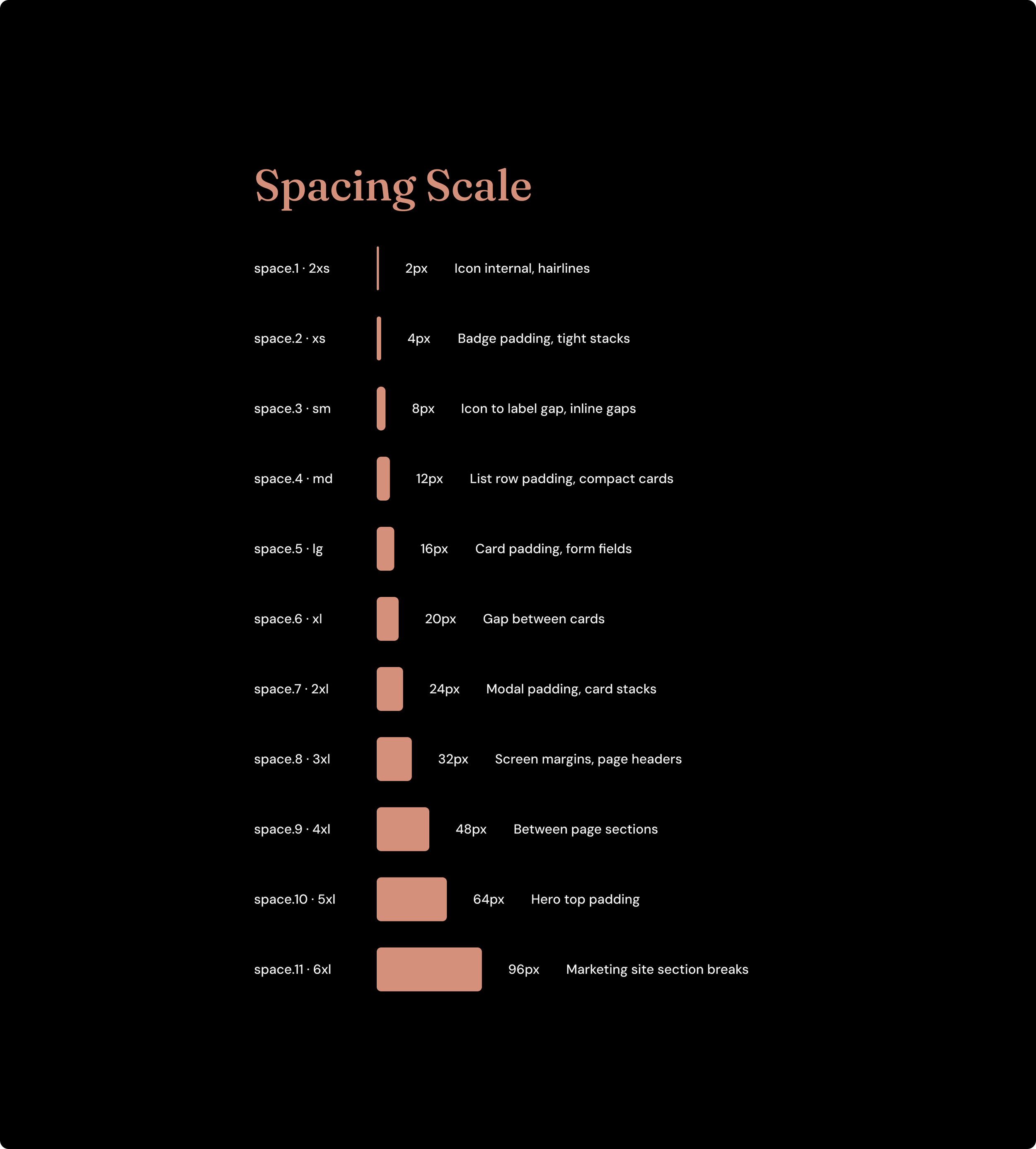
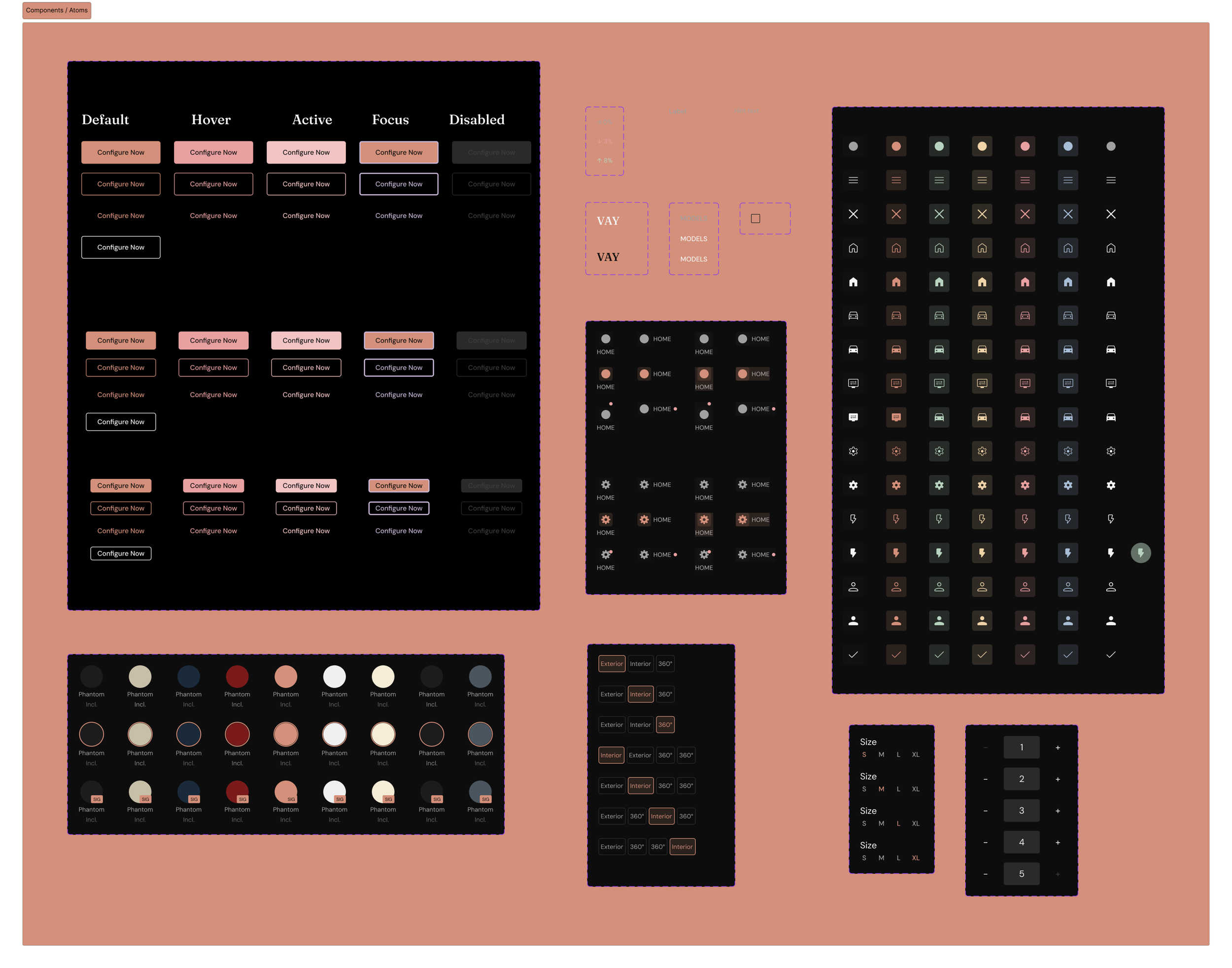
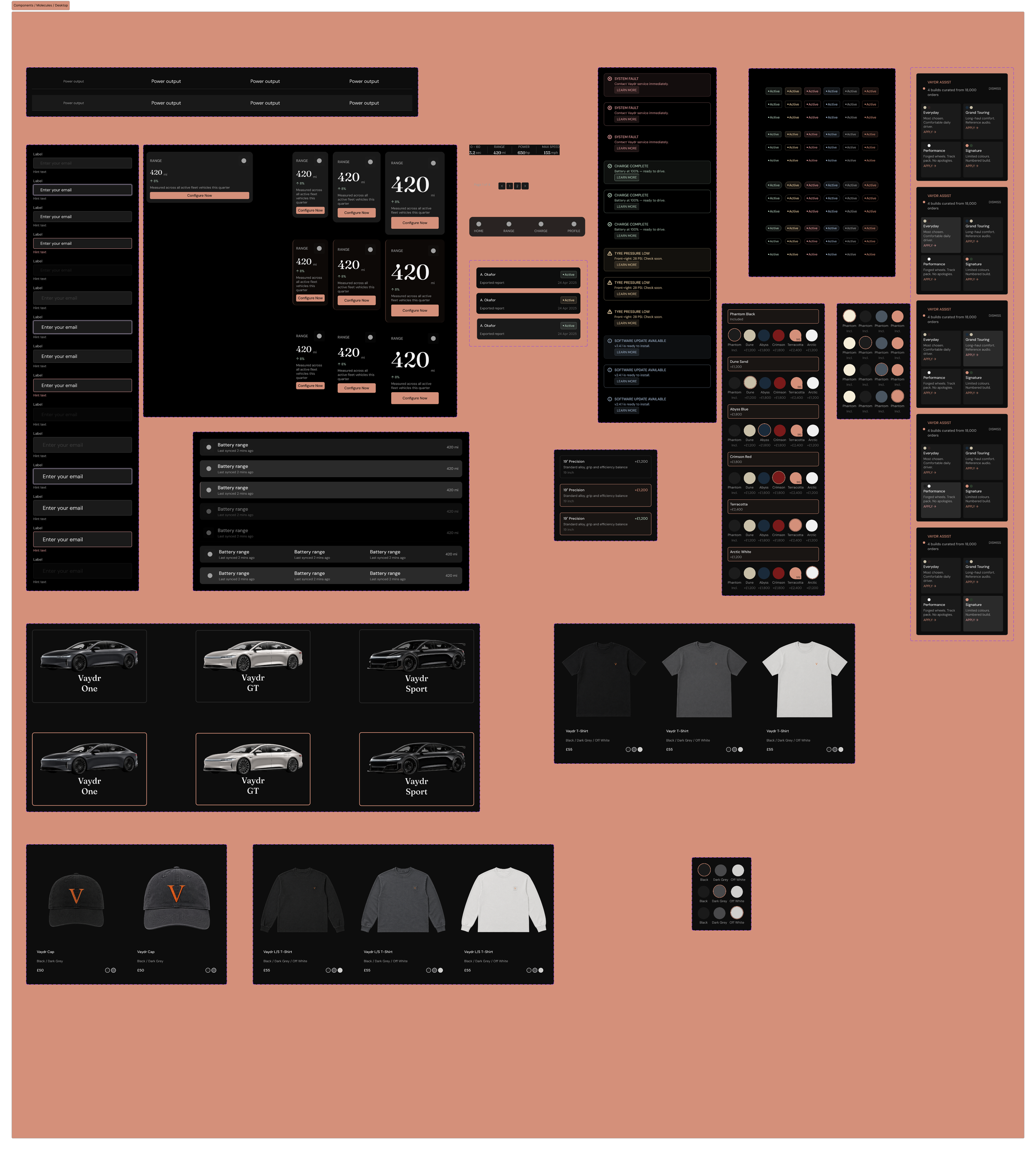
The second realisation was bigger: Vaydr was never a set of pages, it was a system. One set of tokens and components could carry brand, marketing site, booking flow, and merch with full consistency. That reframing set the direction for everything after.
04.
THE CHALLENGE
Coherence at scale, solo, without a user base
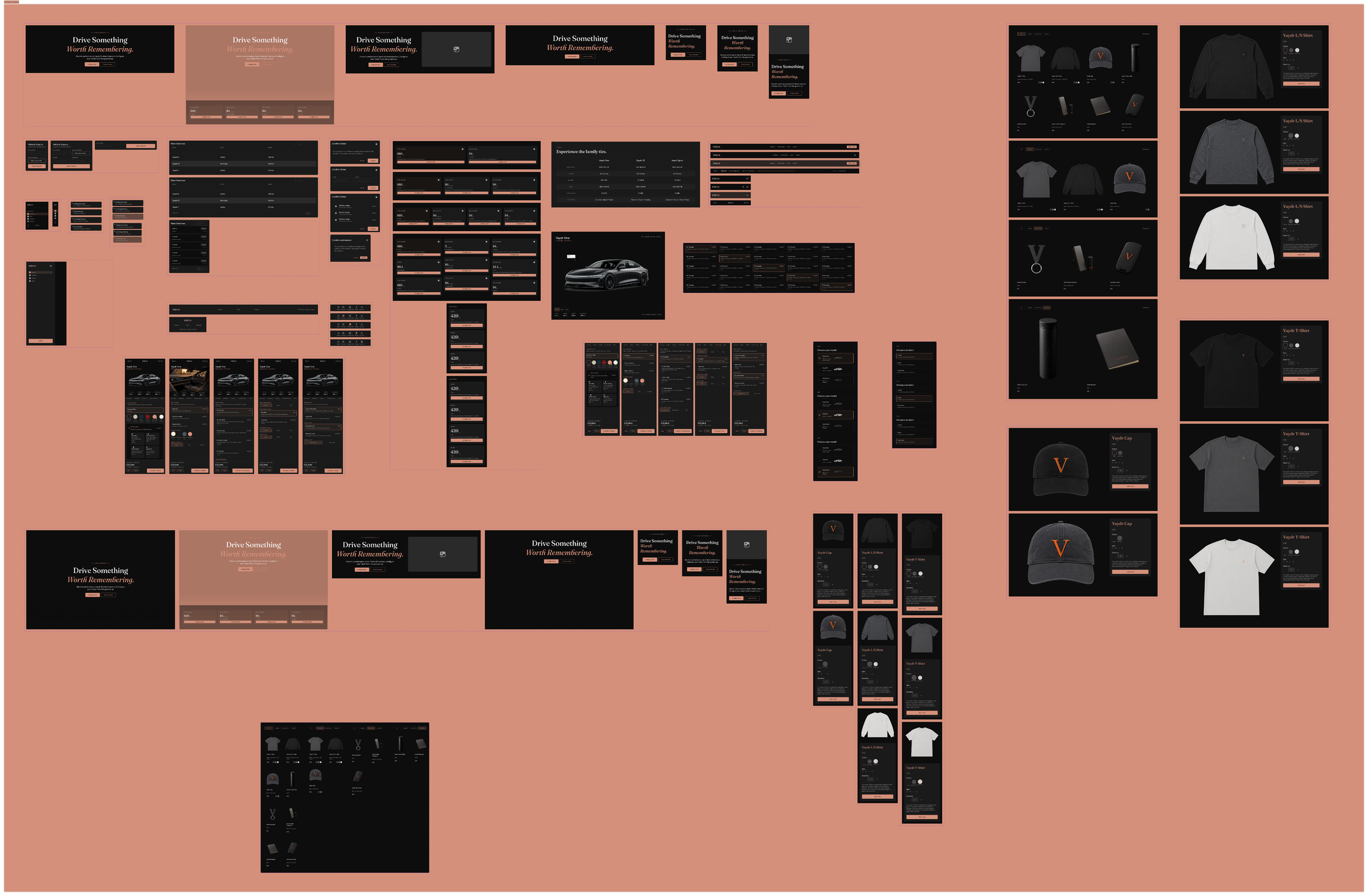
Holding quality and consistency across a system that grew to five stages, desktop and mobile, brand through to merch, as a solo designer. Scope kept expanding, and every new surface risked drifting from the last.
The second challenge was validating decisions without a real user base, which I addressed by running structured usability testing on the prototypes rather than designing on instinct.
05.
RESOLUTION & OUTPUT
A coherent, testable whole
Design System
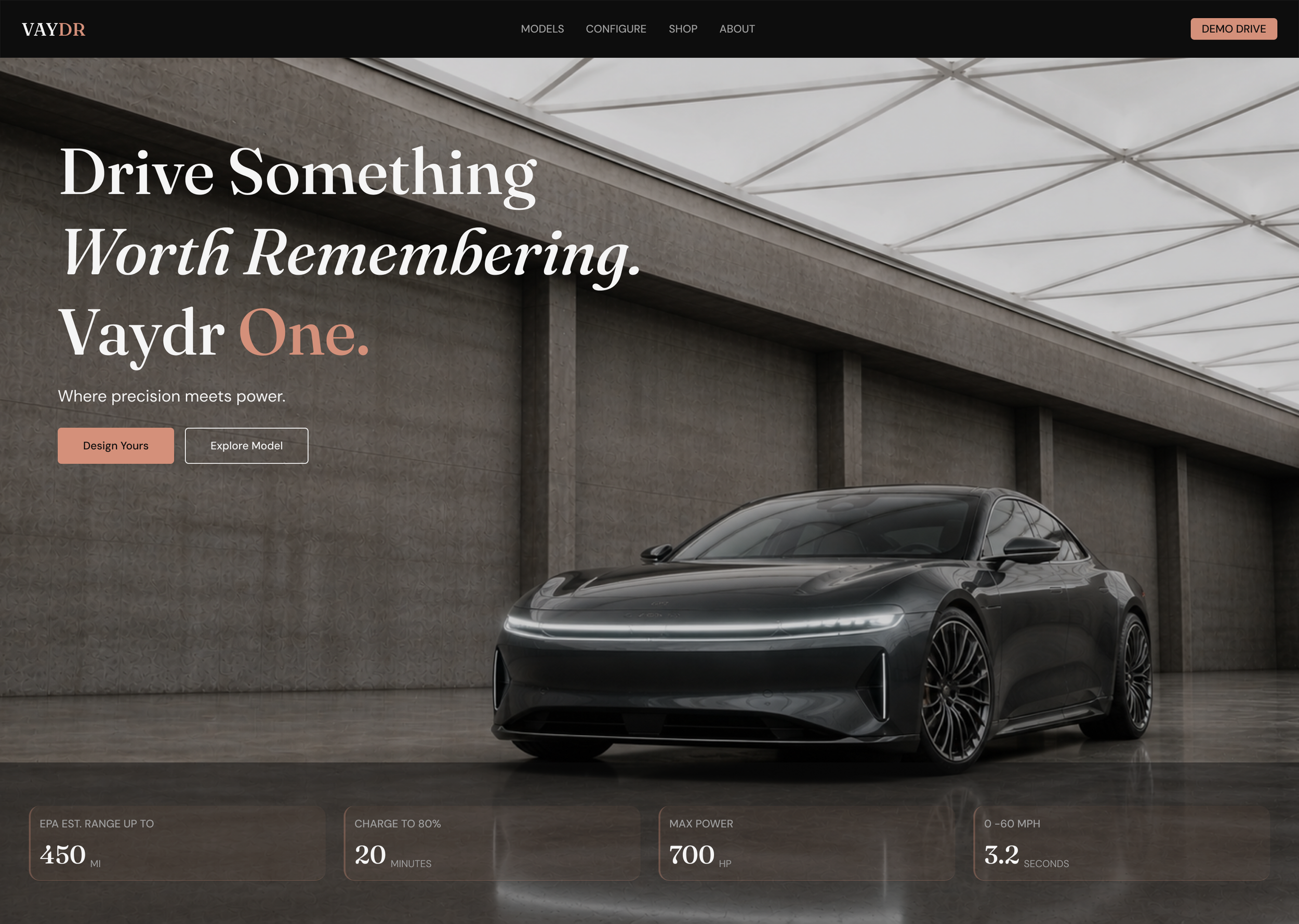
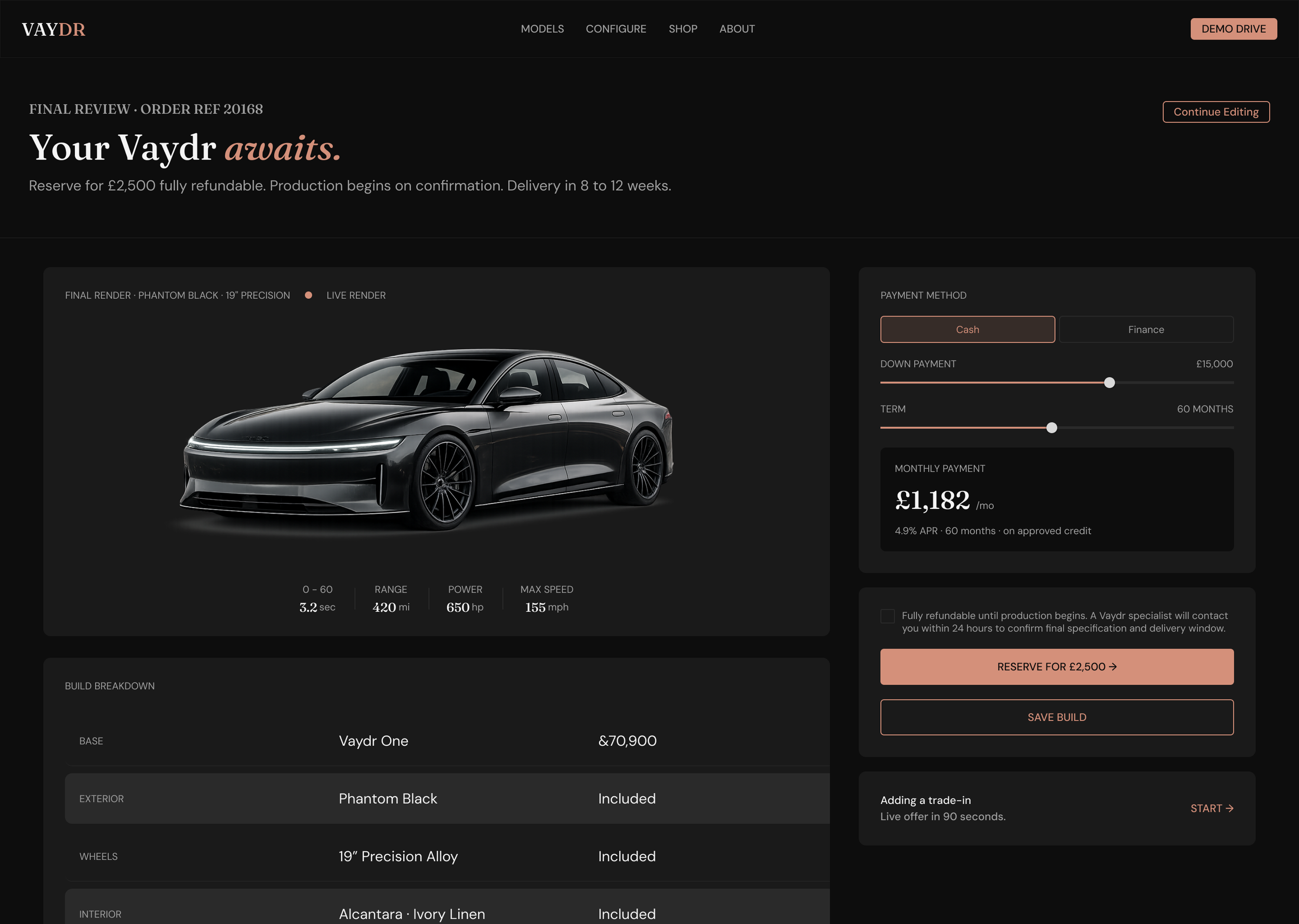
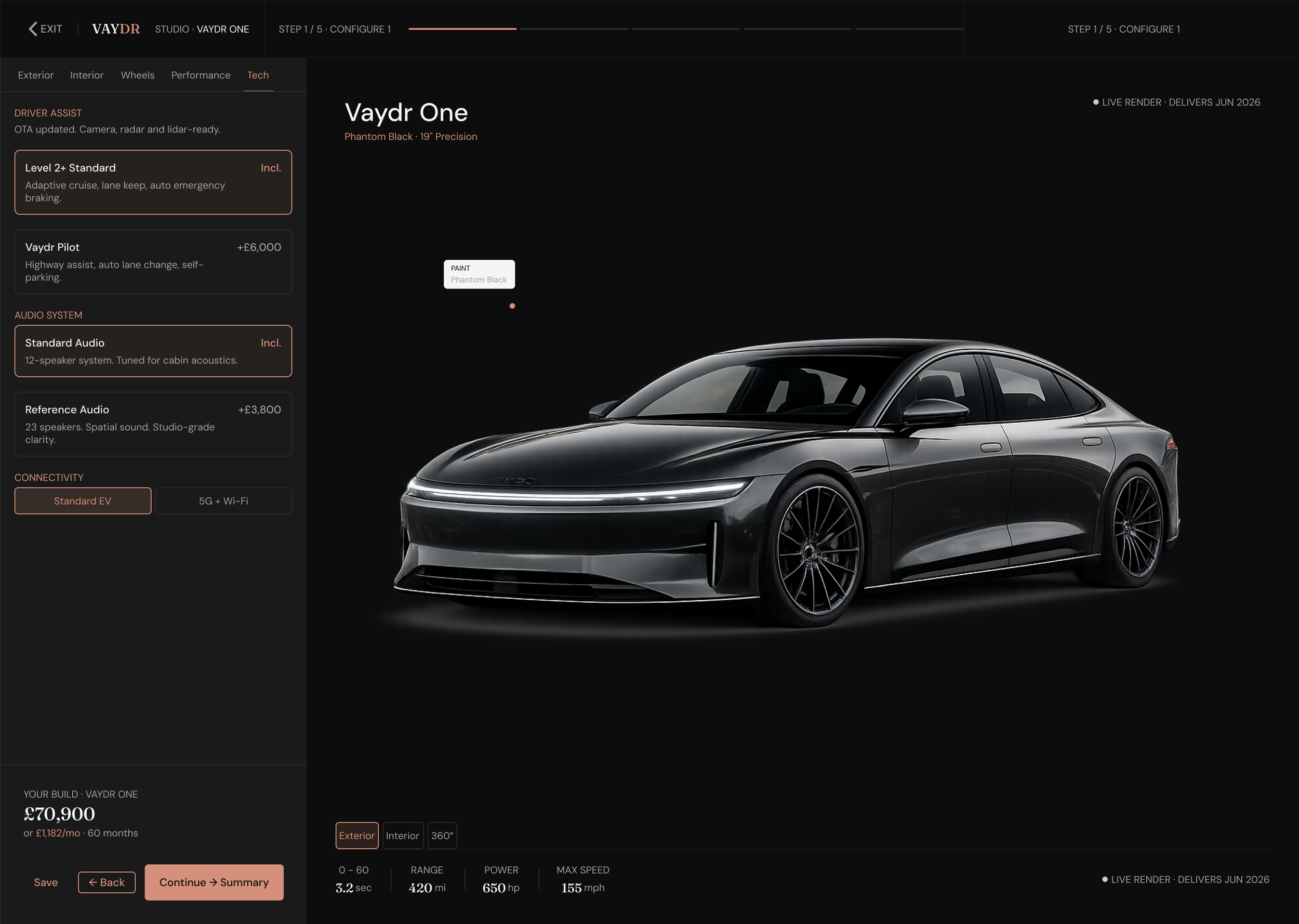
Complete Figma system, five stages, desktop and mobile, foundations through to assembled screens.
Booking flow
A validated demo drive flow, reshaped directly from low-fi findings.
Variant pages
One, GT, and Sport, built around legible, side-by-side comparison.
Marketing & Merch
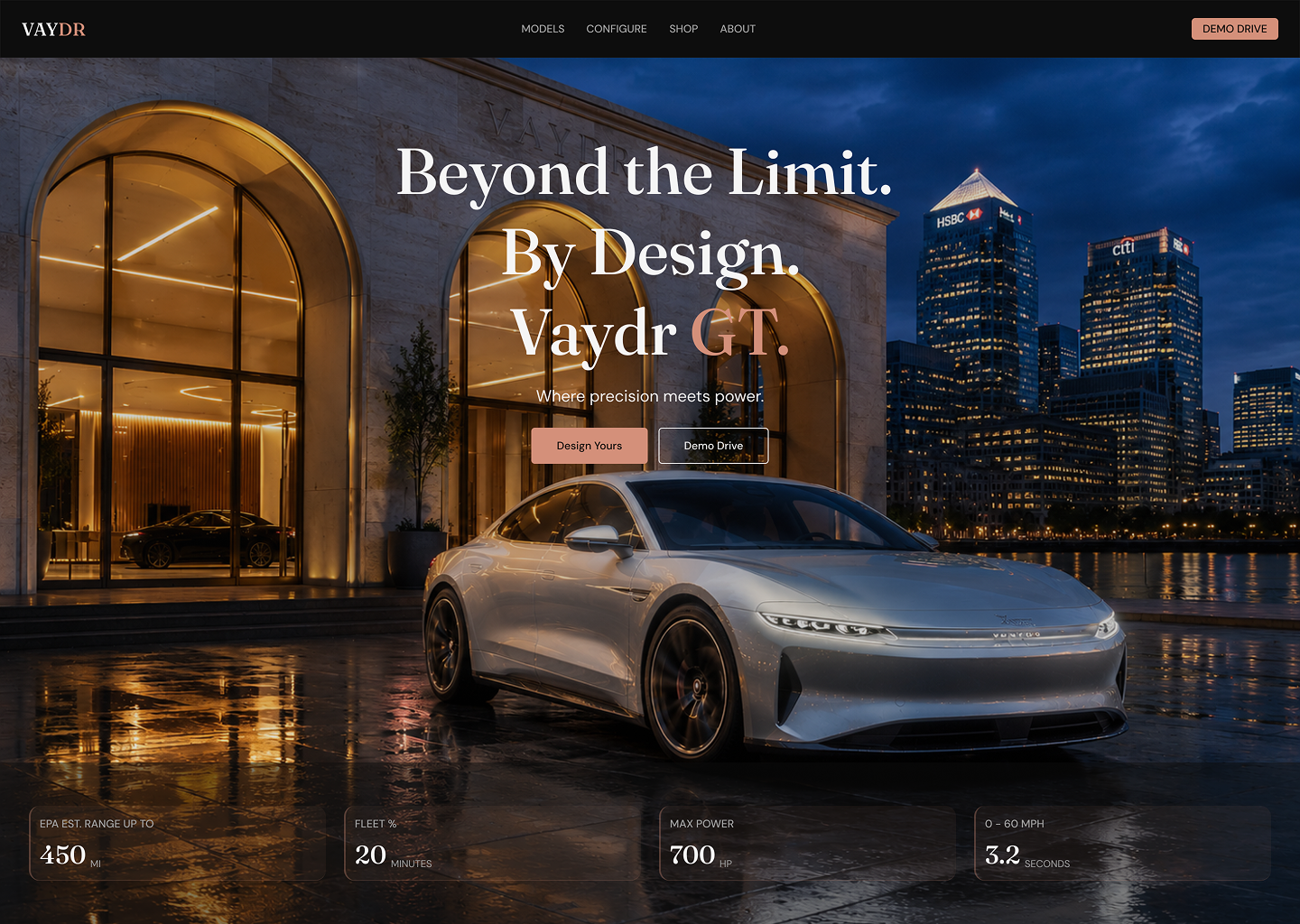
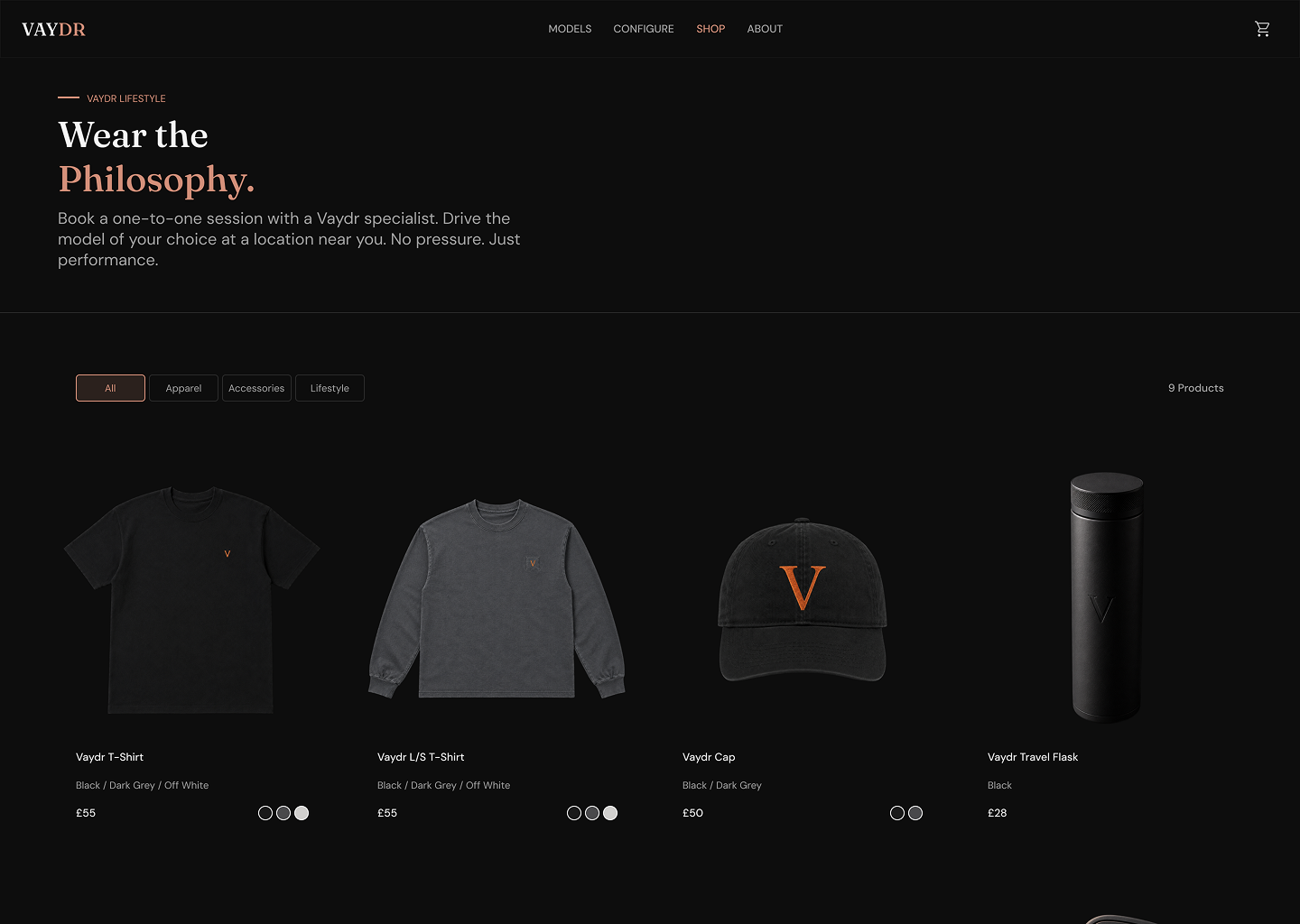
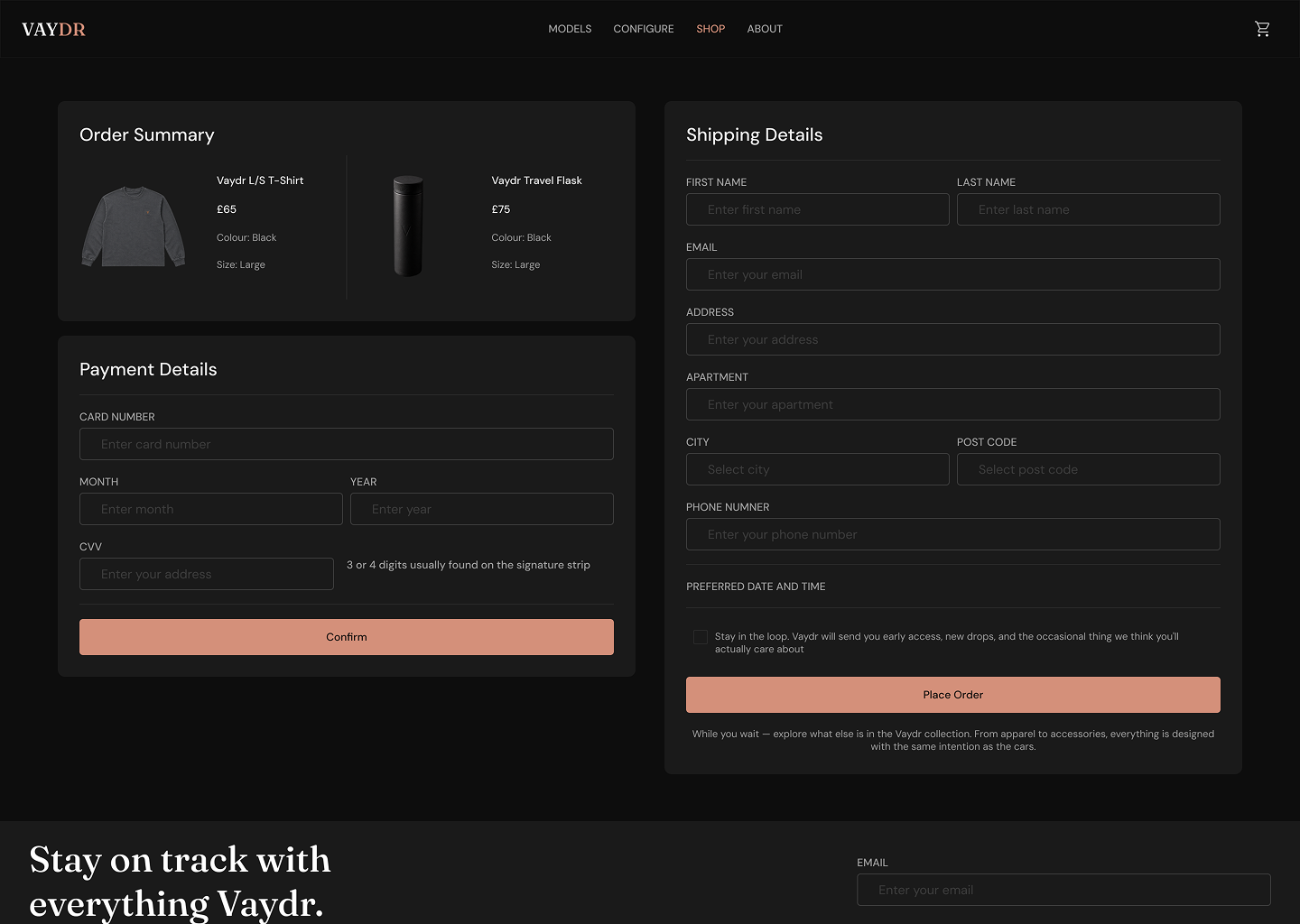
Marketing site and merch shop carried on the same system.
Imagery
AI-generated product imagery with Photoshop touch ups.
Next steps / what I'd validate
IN PROGRESS
The high-fidelity designs are built and the next iteration is a planned round of usability testing. Naming this directly is deliberate: it shows testing as an ongoing discipline rather than a box ticked once.
Does decoupling booking from configuration reduce drop-off?
The central hypothesis from low-fi, now testable on the hi-fi flow.
Is variant differentiation legible?
Whether side-by-side comparison resolves the original confusion between One, GT, and Sport.
Does mobile booking hold up?
Whether the flow completes on the smaller breakpoint, where commitment friction tends to spike.
How I'll measure it: task completion rate and time-to-book, points of hesitation or error in the booking flow, and a SUS score benchmarked against the low-fi baseline. Findings will feed a final revision of the system.
Summary
Context & Problem: Designed a clean, intuitive mobile-first shopping experience for a minimalist streetwear, homeware, audio tech & art marketplace to solve cluttered interfaces and confusing navigation in existing e-commerce apps.
Role & Process: Led full end-to-end UX design from competitive analysis and personas through low/high-fidelity wireframes and usability testing, simplifying navigation, icons and visual hierarchy for reduction of cognitive load.
Outcome & Impact: Delivered a minimalist, high-usability interface that drove a 25% reduction in tap errors and 68% faster task completion, with clearer navigation and smoother shopping flows.
Context
Context: Responsive, mobile-first, shopping design for a streetwear, homeware, audio tech & art marketplace.
Goal: Design a clean, intuitive minimalist mobile experience that reflects the aesthetic preferences of trend-driven shoppers while improving usability and conversion.
Tools: Figma, Photoshop, user surveys, usability testing

Problem
After completing a competitive UX analysis, users typically struggled with cluttered interfaces and inconsistent navigation in existing shopping apps.
For this project, the challenge was to build an engaging, minimalist design on both mobile & desktop that boosts conversion and aligns with the aesthetic expectations of the target audience (fashion & lifestyle product buyers).
Through usability testing, users reported issues with interacting with buttons and found choice of icons confusing.
This wasn’t just a UI aesthetic issue. This was a breakdown in how users understood and interacted with the system.

The “A-HA”
Moment
The major realisation was that small touch targets and information architecture problems had a big impact on success metrics.
One insight stood out. Users weren’t slow because the UI looked complex. They were slow because navigation and structure didn’t reflect how they actually think.
Once navigation was grounded in user language and behaviour, not assumption, the solution shifted from “polish this screen” to: design flows for optimum confidence and predictability.

A Key Challenge
The main challenge wasn’t designing screens. The main challenge was designing a mental model; a product that matches users' existing beliefs about how things work.
Some constraints included:
A diverse product range (streetwear, tech, art, homeware).
Limited real-world behavioural data for this specific user base.
Mobile-first requirement with screens and interactions that scale down without losing clarity.
High business priority on conversion, not just usability.
Because the problem affected navigation, discovery, and first-time user success, a narrow UI fix would not be sufficient. We had to iterate flows.
Solution, Output & Impact
Resolution:
I redesigned the key interaction patterns to:
Simplify navigation hierarchy
Use clear, tested iconography
Increase tap target sizes
Match category language to user mental models
Iterate flows in rapid prototypes
Validate improvements with usability testing
These changes created a more predictable, confident browsing experience, especially on mobile.
Impact:
After implementation and validation:
25% reduction in tap errors
68% faster task completion times
Clarity in navigation that matched user expectations
This wasn’t just UI refinement. It was alignment of structure with user behaviour. Users weren’t just quicker, they were more confident in every touchpoint.

Paper Wireframes
High Fidelity Mobile Prototypes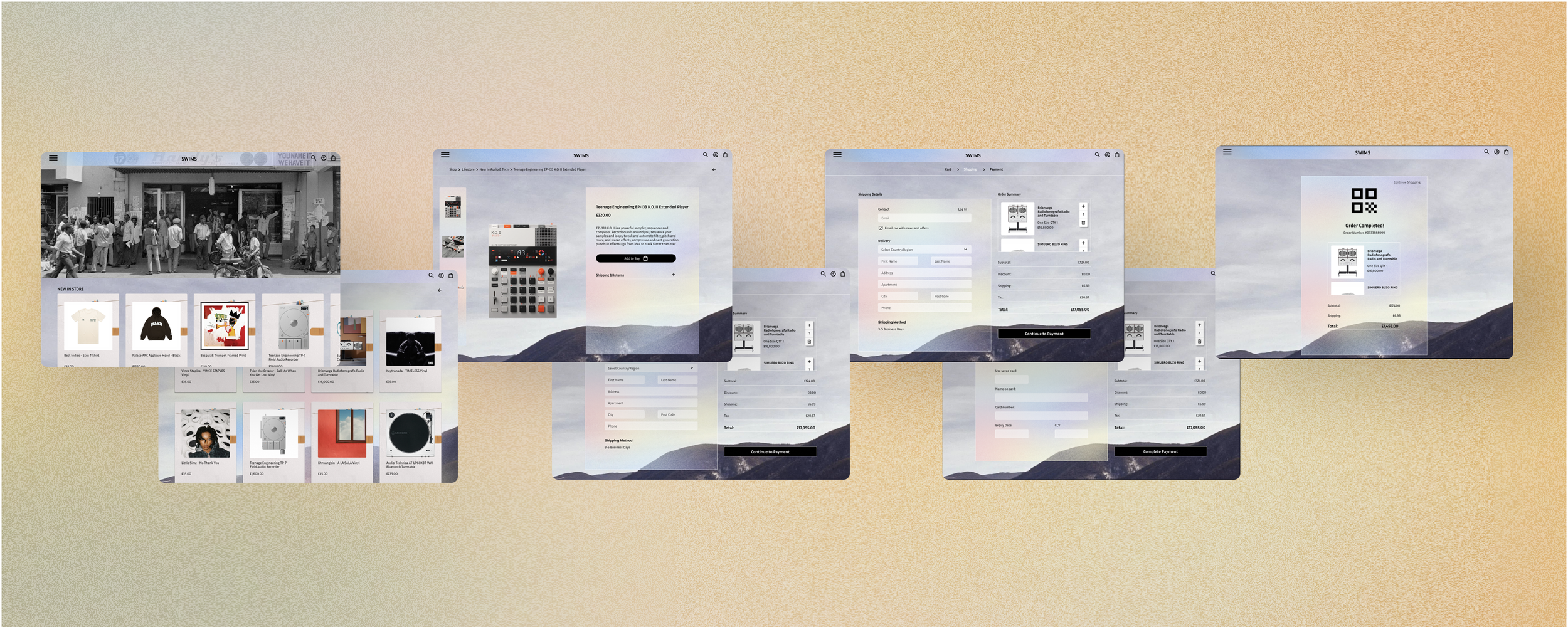
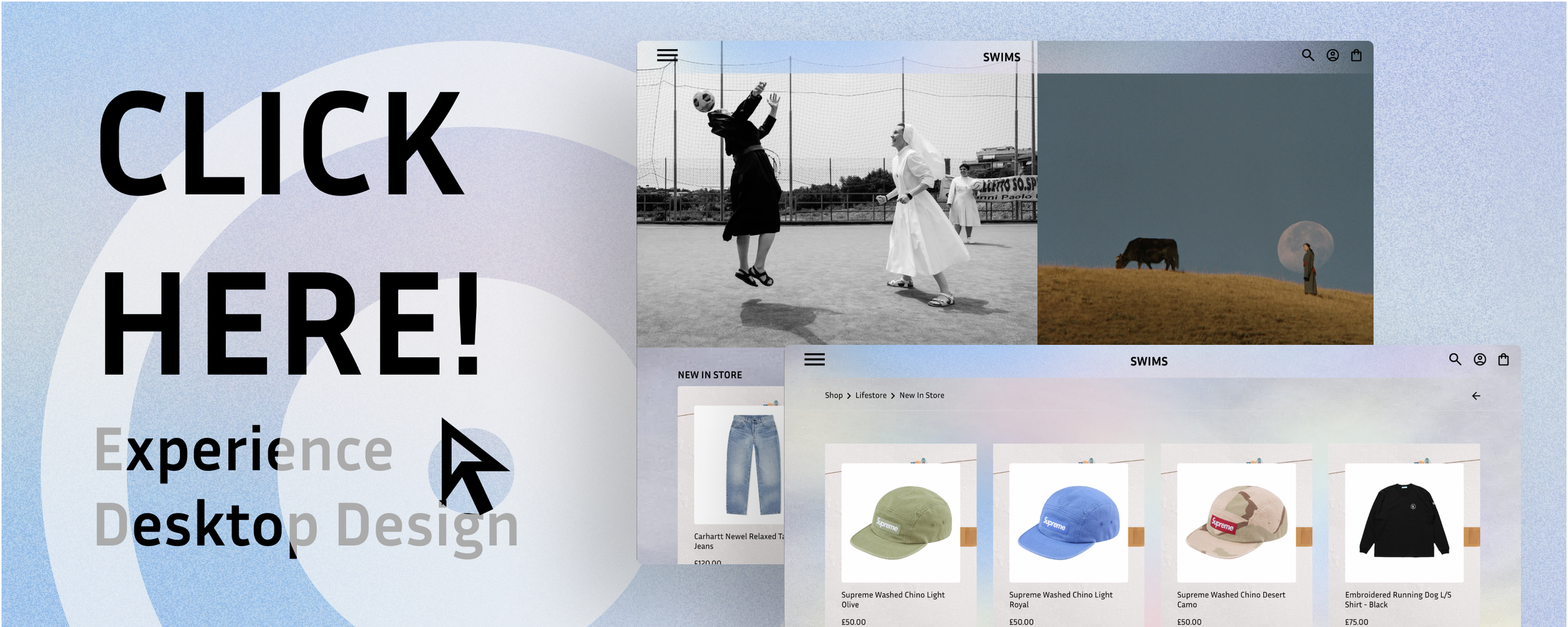
High Fidelity Desktop Prototypes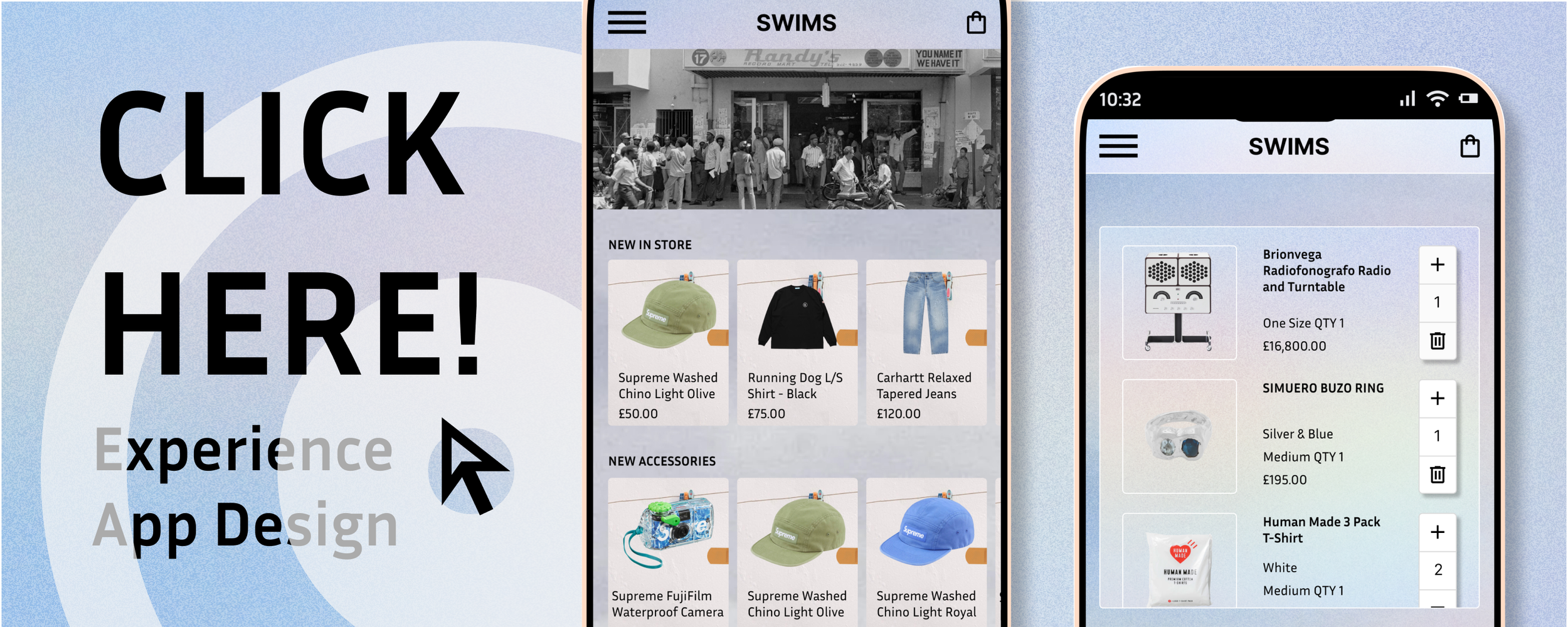
Other Case Studies